DocsFeatures
Free ASO tools
What you can do in ASO Atlas without a subscription; the free keyword checker, what a result tells you, the exact limits and when to upgrade.
You do not need an account, let alone a subscription, to get a first taste of ASO Atlas. This page lists everything that is genuinely free, exactly where the limits sit, and what a paid plan adds on top.
The free keyword checker
The free keyword checker is the full research engine pointed at a single keyword. Type any search term, pick the storefront country you care about, and hit Search. No signup, no email, no credit card.
Each check gives you the same core numbers the paid app uses:
- Popularity (0-100): how much real search demand the keyword has.
- Difficulty (0-100): how strong the apps already ranking for it are. Lower means a realistic target for you.
- A verdict: a one-word call, Take, Tight or Skip, based on how tough the competition looks.
- Who ranks for it: the top apps currently winning that search, with their developer names and ratings, so you can eyeball the competition yourself.
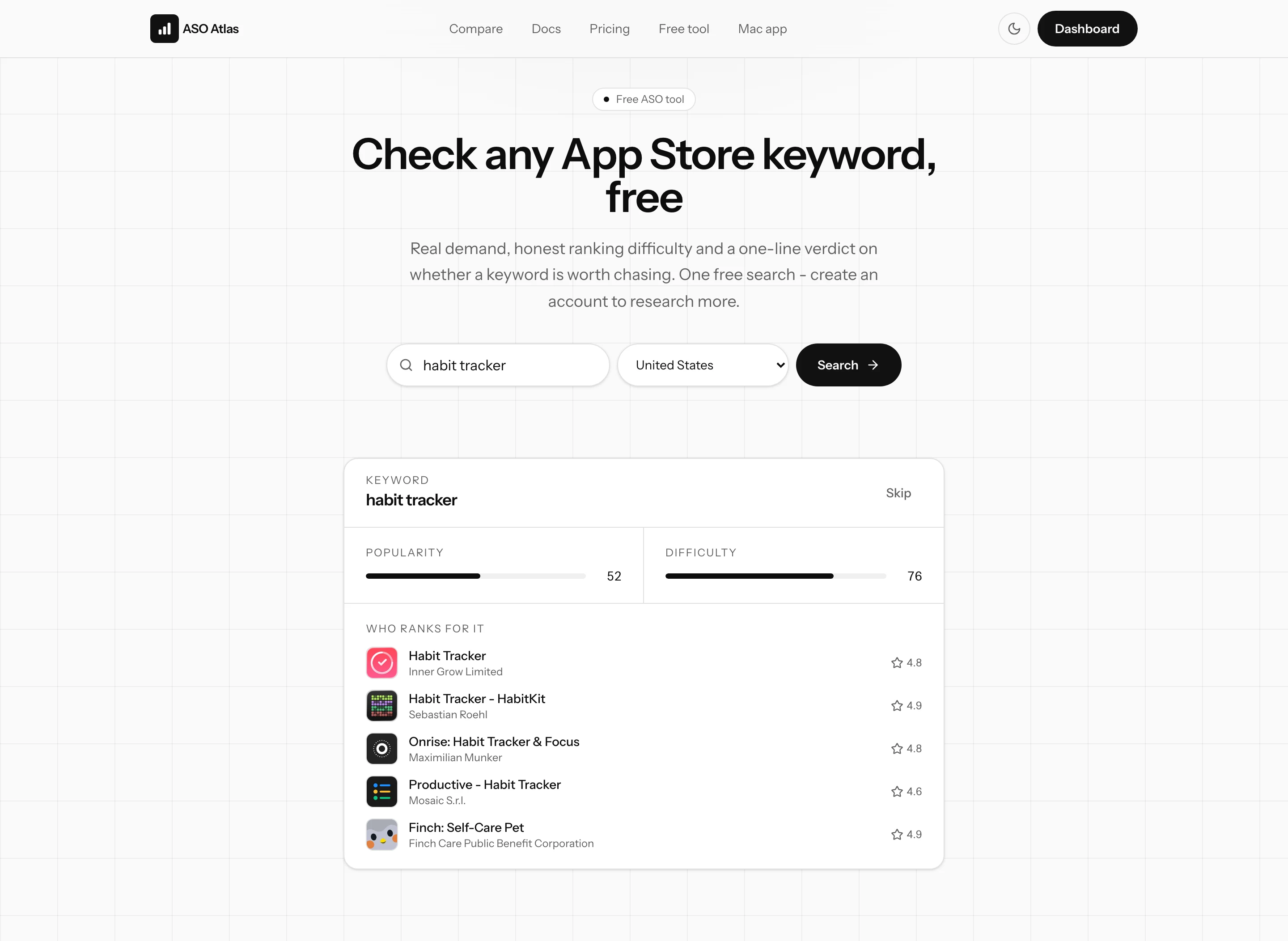
That is enough to answer the question the tool is built for: is this keyword worth chasing, or not?
The limits, honestly
The free checker is rate-limited so it stays fast for everyone:
- As a guest, you get one free search per visit. After that, the search box is replaced by a signup prompt.
- There is also a soft daily cap per network address, so refreshing the page or clearing cookies does not reset the counter.
- With a free account, the caps disappear on this page: you can check keywords one at a time as often as you like. Creating an account costs nothing.
What the free checker does not do: it checks one keyword at a time, it does not remember your results, and it does not show where your app ranks. It is a snapshot, not a workflow.
The guides are free too
Everything in these docs is public. If you are new to App Store optimization, start with what ASO is and why it matters and how to pick keywords. You can apply both with nothing more than the free checker and a notebook.
What a subscription adds
The paid app turns those one-off checks into an actual optimization loop:
- Batch research: paste up to 50 keywords at once and compare them in one table, with suggestions for terms you had not thought of. See your first keyword research session.
- Rank tracking: add your app, track the keywords you choose, and get your positions rechecked daily so you can see what every metadata change did.
- The optimizer and insights: the metadata optimizer, best-opportunity picks, competitor monitoring and review insights all live inside the app.
ASO Atlas has one flat plan, billed monthly or yearly, and every feature is included; there are no tiers to compare. The details are in plans and billing.
Where to go next
- Try a keyword you care about in the free checker and see the verdict.
- Ready for the full loop? The quick start takes you from signup to tracked rankings in about five minutes.