DocsFeatures
Rank tracking: your app ranking tracker
Track where your app ranks for every keyword, daily and per country. How the app ranking tracker works and how to read the trends.
Rank tracking answers the only question that ultimately matters in ASO: when someone searches this keyword, do they see my app? ASO Atlas checks your position for every tracked keyword daily, in the country you track it in, and keeps the full history.
What gets tracked
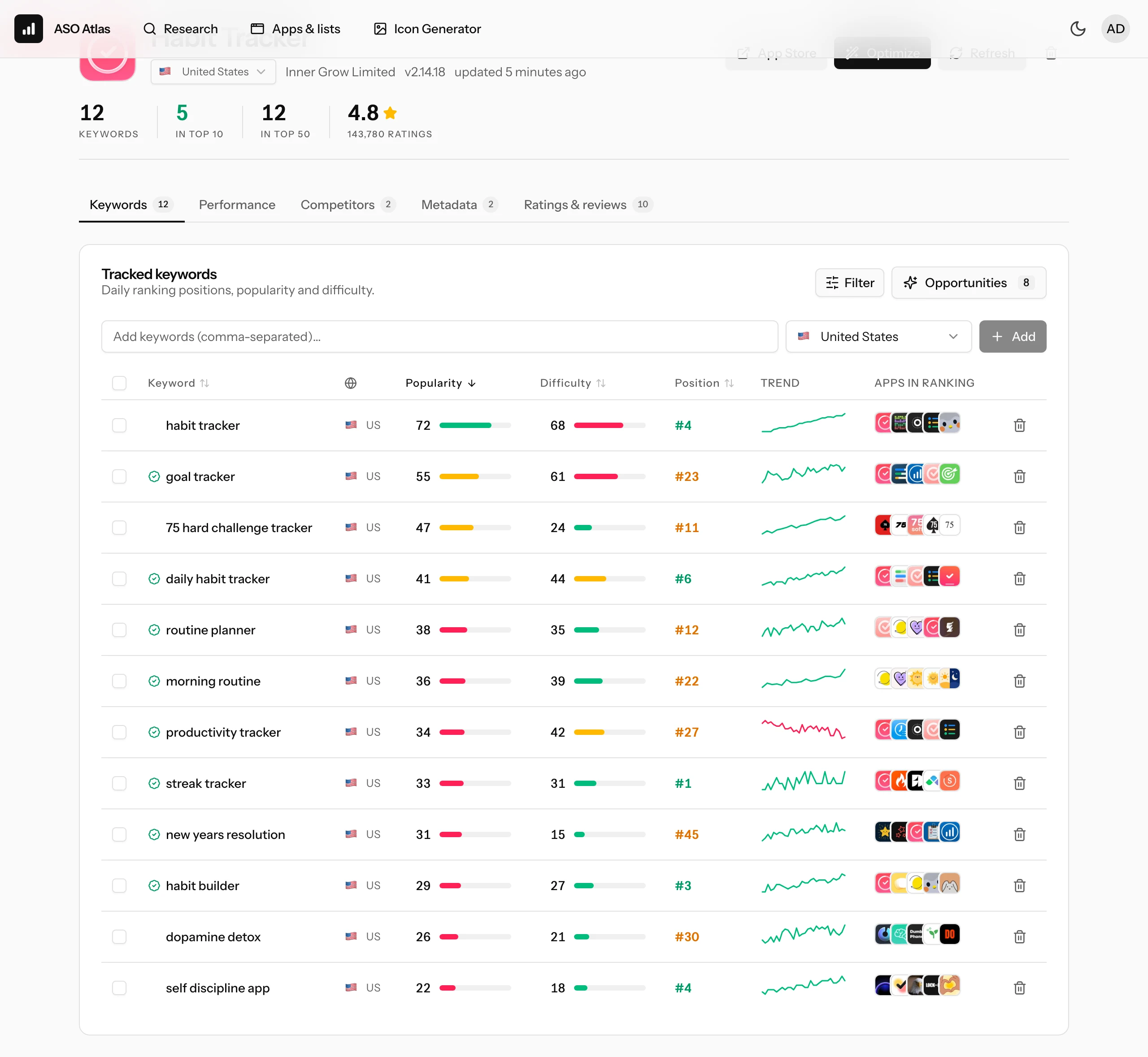
Every keyword you add to an app is checked against that app's storefront:
- Position: your exact rank in the search results, checked deep (well past the first page), so you see movement long before you crack the top 10.
- Daily history: every check is stored. The trend chart shows the whole curve, not just today's number.
- Per country: a keyword tracked in the US and the same keyword tracked in Germany are two different battles, with different demand, different competitors and different ranks.
A dash instead of a number means your app was not found in the results at that depth. That is a result too: it tells you the keyword is currently out of reach or your metadata does not cover it.
Reading the trend
Click any keyword's trend sparkline to open its full ranking history. Dotted lines mark the days you changed your metadata, so cause and effect stay connected. What to look for:
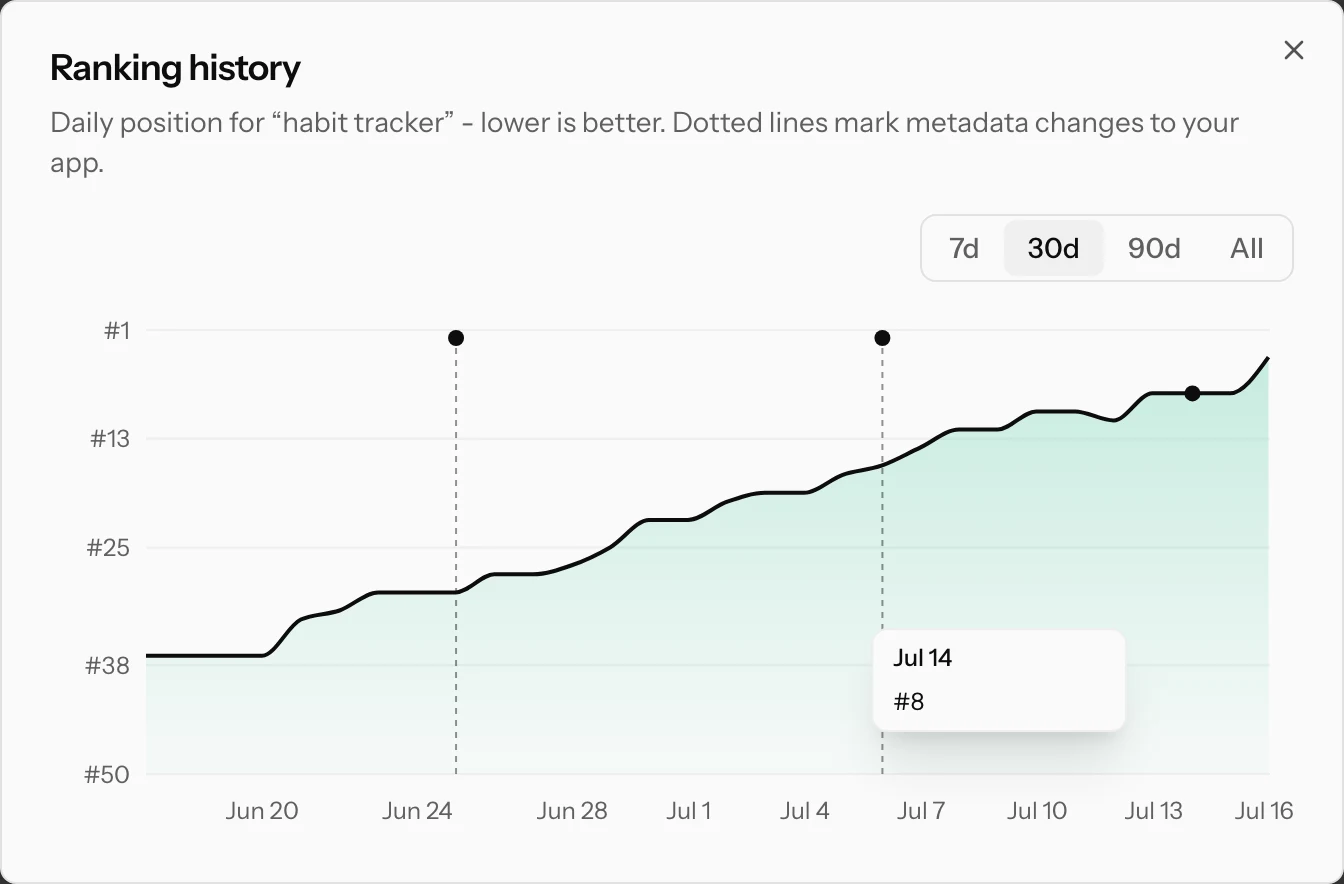
- A step change after a metadata update. Ship a new title or keyword field and the effect typically shows within days. The chart makes the before/after obvious.
- Slow drift. Losing a position a week usually means a competitor is improving. Check the ranking apps for that keyword to see who.
- Volatility. Ranks naturally wobble a few positions day to day. Only trust moves that hold for several days.
The daily refresh
Positions refresh automatically every day, so the chart never has gaps. Need a number right now, for example right after a release? Hit Refresh on the app page and the keywords are rechecked on the spot, user actions jump the queue.
Making the tracker useful
A few habits that turn raw positions into decisions:
- Track before you change. Add keywords a few days before a metadata update so you have a baseline to compare against.
- Track keywords you do not target yet. If you rank 40th for a phrase with decent popularity without trying, that is a signal: a little metadata attention could push it into the visible range.
- Watch competitor names. Tracking a rival's brand name tells you whether you appear in their search results at all, and where.
- Prune dead weight. A keyword that has shown a dash for months with high difficulty is not coming back. Replace it with a candidate from Best opportunities.
What a position is worth
Roughly: positions 1-3 collect most of a search's installs, the rest of the first screen gets a meaningful share, and beyond position 10 traffic falls off steeply. Deep ranks (30+) are worth tracking not for the traffic they bring today, but as a list of keywords where you already have a foothold to build on.
Where to go next
- Best opportunities: the keywords worth targeting next, picked automatically.
- Competitor tracking: see the keywords rivals rank for that you are missing.
- Metadata optimizer: turn the winners into a better title, subtitle and keyword field.